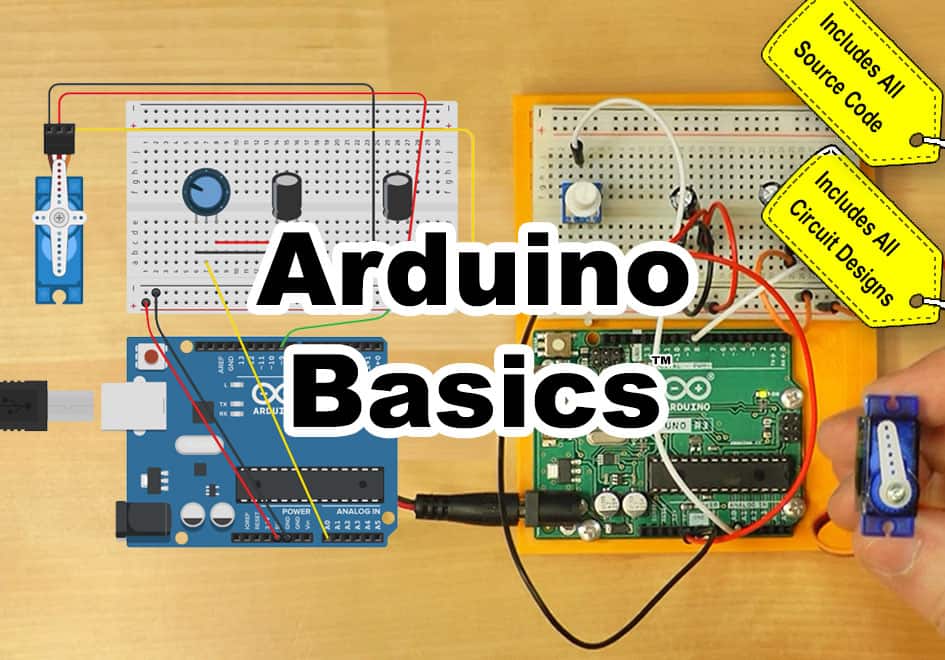
Arduino Basics: Getting Started with Arduino

Learn to use and program Arduino microcontrollers, including:

✓ A short history of Arduino ✓ Unboxing of Four 2024 Kits
✓ How to get the Arduino Programming software ✓ How to Make, Program, and Test Projects for Free
✓ Opening, Verifying, and Uploading Projects ✓ Creating a Test Circuit With and Without Arduino
✓ Arduino Projects Working with Motors ✓ Arduino Projects Working with Servos
✓ Arduino Projects Using Sequential Logic ✓ Arduino Traffic Light Project

Created by Joseph Tierney
Last updated November 12, 2026
English
1hr

Current Status

Not Enrolled

Price

$9.00

Get Started

This course is currently closed

Note: to purchase this course for someone else, choose “Voucher.” Enrolling three or more people? Contact us here to learn about our group enrollment program.

At a Glance

Format
Online, self-paced

Lessons
14 online lessons + 4 bonus videos

Skill Level
Entry level: Basic electrical knowledge required

Access
Lifetime, no expiration

Certificate
Yes, with PDHs

Price
$9

Content Last Reviewed
April 2024

What You’ll Learn:

  • ✓ A short history of Arduino
  • ✓ Unboxing of four 2024 kits
  • ✓ How to get the Arduino programming software
  • ✓ How to make, program, and test projects for free
  • ✓ Opening, verifying, and uploading projects
  • ✓ Creating a test circuit with and without Arduino
  • ✓ Arduino projects working with motors
  • ✓ Arduino projects working with servos
  • ✓ Arduino projects using sequential logic
  • ✓ Arduino traffic light project

What You Receive With Your Purchase:

  • ✓ Immediate online access
  • ✓ Fourteen online lessons & four bonus videos
  • ✓ Nine TinkerCAD projects & eight code snippets
  • ✓ Links to online resources
  • ! Software is available for free from Arduino
  • ✓ No expiration date
  • ✓ Take lessons in any order
  • ✓ Retake lessons as needed
  • ✓ Completion certificate with PDHs
  • ! Hardware is NOT included

Proudly Serving Thousands of Individuals and Companies

Georgia-Pacific
Owens Corning
Saint-Gobain
SWM
Tyson
National Gypsum
Louisiana-Pacific
CommScope
Desalitech
Bimbo
Manroland Goss
Martin Marietta
Dynamic Attractions
Coca-Cola
EHM
Green Electric
Harmony Process
Inframark
Kaman
Flex Concepts
MIT
MEVEX
Motus
North Wind
Oatey
Prime Conduit
SPT
Vertech

Arduino Basics: Getting Started with Arduino Online Course

Learn to confidently design, wire, upload, and test Arduino programs and projects with Arduino Basics™ – Getting Started with Arduino.

You don’t need to spend hundreds of hours to learn how to build, wire, and test Arduino projects. All you need is basic electrical knowledge, a PC, Mac, or Chromebook, and our affordable Arduino Basics™ – Getting Started with Arduino online course.

Arduino Basics is the perfect online course for anyone who wants to learn to build, wire, and test Arduino projects. Taught with equipment from the latest 2024 starter kits, and designed for users of all ages, in this course you will learn everything you need to know to get started using Arduinos with confidence.

Unlike other courses that are several years old and reference boards and kits no longer available, our Arduino course is based on the latest developments as of April 2024, and actually doesn’t require you to purchase any hardware, as we show you how to download and use the free Arduino IDE, as well as use a free online hardware and software simulation tool. We even give you links to each of our very own projects, as well as all of our source code.

We also invite you to come back and retake any lesson as the need arises, which is made possible by the fact that none of our courses come with an expiration date.

And when you finish your course and pass any quizzes, you’ll also be rewarded with an official Completion Certificate from The Automation School that will list the Professional Development Hours you’ve earned by completing all of the course content.

Arduino Basics Topics

Below is a summary of the topics covered. For a complete list of topics, see the course lesson list.

  • A short history of Arduino
  • Four most popular starter kits of 2024
  • How to get and use the Arduino programming software
  • How to make, program, and test projects for free online
  • Opening, verifying, and uploading projects
  • Creating a test circuit with and without an Arduino
  • Building Arduino projects to control motors
  • Building Arduino projects to control servos
  • Building Arduino projects for sequential control
  • Building Arduino projects for traffic light control
  • Building Arduino projects that use presence sensors
  • And more!

Who Should Take This Course

Anyone who has basic electrical knowledge and wants to learn how to build, wire, test, upload, and run Arduino projects.

Who This Course Is NOT For

  • Anyone without basic electrical knowledge — this course assumes you already have it
  • Experienced Arduino users looking for advanced programming topics — this is a getting-started course
  • Anyone looking for industrial PLC training — see our PLC and PAC courses instead
  • Anyone expecting an Arduino starter kit or other hardware to be included — hardware is not included with this online course
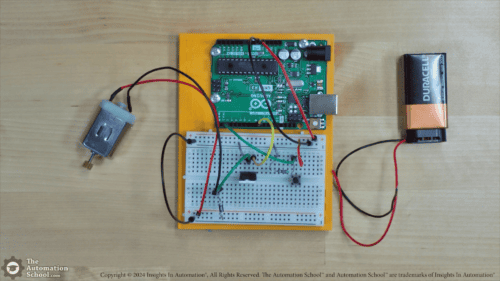
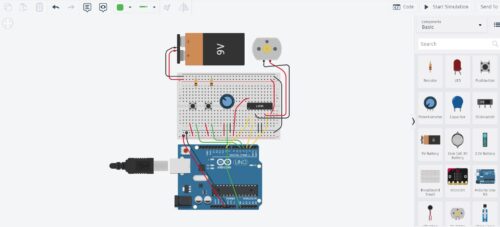
  • Anyone who feels the need to complete the optional hands-on exercises, but is unable or unwilling to use the free TinkerCAD simulator or one of the starter kits covered in free preview lesson 1.02. This is rarely a problem, but obviously some initiative is required of students who wish to complete the hands-on exercises.

Video: Free Sample Lesson

In this lesson we cover the different ways you can follow along, including a free online simulation tool, as well as affordable and complete starter kits. Length: 1:17.

Note: If the sample lesson video above does not load, your place of business may be blocking our video host, Vimeo.com. To verify this, try viewing the video on your cell phone or home PC, or ask your IT department to unblock educational videos hosted on Vimeo.com. You can also view another sample lesson here.

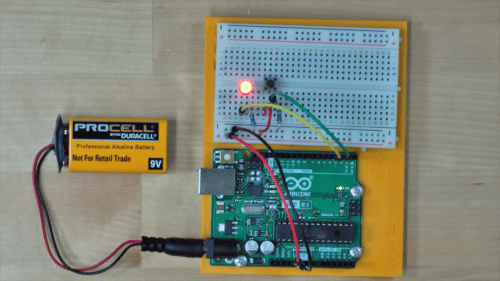
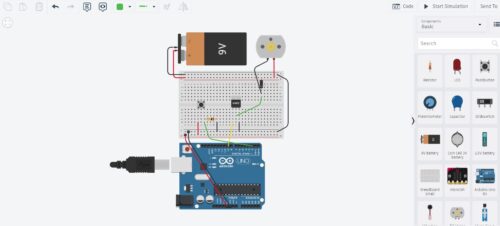
Lesson Snapshots

Student Reviews

All students who complete the course are invited to leave a review, and you can see all the existing student reviews on the Reviews tab above.

Course Requirements

Requirements to follow along and/or complete any optional exercises

After purchasing this course, the only requirement to take the course is an internet connection to access this website. Students who would like to complete the optional hands-on exercises can choose from two common options:

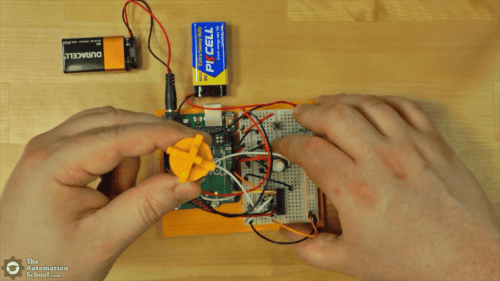
  • Option 1: A physical Arduino starter kit (like those covered in the bonus lessons), along with the free Arduino programming software installed and working on your PC or Mac (Chromebook users use the Arduino Web Editor on Arduino Cloud)
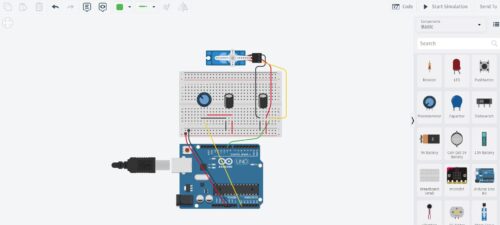
  • Option 2: The free online simulator TinkerCAD, which can be used to complete most of the optional exercises — we show you how to use it, and include links to our TinkerCAD projects, as well as our code for each project
  • Note: a common question we receive is whether we provide hardware kits with this online course, and since they are many times the price of this course, we do not

Currently, Arduino states its programming software supports these operating systems:

  • Windows 10 and newer, 64 bits
  • Linux 64 bits
  • macOS Intel, 10.15 Catalina or newer, 64 bits
  • macOS Apple Silicon, 11 Big Sur or newer, 64 bits
  • Chromebook: use the Arduino Web Editor on Arduino Cloud

Course Pre-sales Questions

Have a question about this course? Send it to the instructor below.

Pre-sales Contact Form (#11)

Submitting from course page: Arduino Basics: Getting Started with Arduino


Frequently Asked Questions

General Questions

Is this course beginner friendly? Do I need previous Arduino experience?

Yes, this course beginner friendly, and no previous Arduino experience is required. The course is designed for users of all ages.

All you need is basic electrical knowledge and a PC, Mac, or Chromebook. We start with a short history of Arduino and how to get the free programming software, then show you how to open, verify, and upload projects before moving on to motors, servos, and sequential logic.

Who is this course designed for?

Anyone who has basic electrical knowledge and wants to learn how to build, wire, test, upload, and run Arduino projects.

How long does it take to complete?

The video lessons total about one hour of instruction. That does not include any additional time you choose to spend completing the optional hands-on exercises.

And since our courses have no expiration date, you can return and review any lesson as often as you like.

Do I need to buy an Arduino or a starter kit?

No. You don’t need to purchase any hardware to take this course.

We show you how to use TinkerCAD, a free online hardware and software simulation tool that can be used to complete most of the optional exercises, and we include links to our TinkerCAD projects along with our code for each project.

If you’d prefer to learn with physical hardware, the four bonus lessons cover four popular 2024 Arduino starter kits. Free preview Lesson 1.02 explains the different ways you can follow along.

Is a hardware kit included with the course?
No. Since Arduino starter kits are many times the price of this course, we do not include them.

What software do I need?

Only free software. We show you how to download and use the free Arduino IDE, and Chromebook users can use the Arduino Web Editor on Arduino Cloud.

For those without a physical Arduino, we also show you how to use the free TinkerCAD online simulator.

Is instructor support included?

No. The instructor has been deployed overseas in the military and is not available to provide ongoing support for this $9 course.

Is the course self-paced?

Yes. You can take the lessons in any order and on your own schedule.

Because none of our courses come with an expiration date, you can also come back and retake any lesson as the need arises.

Does the course include hands-on exercises?

Yes. The course includes eight optional hands-on exercises, from testing circuits in Tinkercad to motor control, servo control, and sequential logic projects.

We also give you links to each of our TinkerCAD projects, as well as all of our source code.

Will I receive a certificate?

Yes. When you finish the course and pass any quizzes, you’ll receive an official Completion Certificate from The Automation School.

Your certificate lists the Professional Development Hours (PDHs) you’ve earned by completing all of the course content.

Technical Questions

Which Arduino starter kits are covered?

Four bonus lessons unbox and cover four popular 2024 starter kits:

  1. The Arduino “Official” Starter Kit
  2. The Smraza “Best Affordable” Starter Kit
  3. The Elegoo “Most Complete” Starter Kit
  4. The Sunfounder “Uno R4” Starter Kit
Which operating systems does the Arduino software support?

Currently, Arduino states its programming software supports Windows 10 and newer (64 bits), Linux (64 bits), macOS Intel 10.15 Catalina or newer (64 bits), and macOS Apple Silicon 11 Big Sur or newer (64 bits).

Can I take this course on a Chromebook?

Yes. Chromebook users can use the Arduino Web Editor on Arduino Cloud.

The TinkerCAD simulator we use in the course is also a free online tool.

What projects will I build?

Projects covered in the lessons and optional exercises include:

  1. Testing circuits in Tinkercad
  2. Creating and testing an Arduino circuit
  3. Motor control
  4. Speed and directional control
  5. Controlling a servo
  6. Sequential logic with three steps
  7. A traffic light
  8. Sequential logic with a presence sensor

License Agreement and Permitted Use of Our Online Courses

This section covers the license agreement and permitted use of our online courses and course bundles, which also includes any course materials, code snippets, downloads, and provided software — taken together, referred to collectively as a “course.”

The purchase of a single copy of a course grants a single individual the right to use the course for personal instruction and reference only. Purchasing a course for yourself (or for another) does not grant anyone the right to distribute or share that work beyond the single individual who registers to take the course.

Show more

This means the course and course materials may not be shared with friends, relatives, co-workers, students, or anyone else, as each sale is for an individual license to access, view, and take the lessons, quizzes, and exercises, and to download any course materials, documents, code, files, and software included with the course.
This per-person licensing helps ensure that the instructor — who created the course and exclusively holds its copyright — can cover the cost of creating it, keeping it available to new and existing customers, and answering ongoing student questions, while receiving fair compensation for a course licensed on a per-person basis.

It is unlawful to share this copyrighted course and course material even if you do not charge or profit from doing so — including for non-profit and governmental organizations — since this proprietary educational work is designed as a chargeable training resource, not one made freely available to the public.

Any unauthorized sharing of the course or course materials would reduce the potential for additional sales and licensing, directly impacting the instructor’s ability to cover costs, keep the course available, and support customers who purchased it lawfully.

If you have questions about the above, please contact us using the “Contact” link in the site menu.

Reviews

There are no reviews yet. Be the first to review.

You may also like

Watch Now
Watch Now
Watch Now